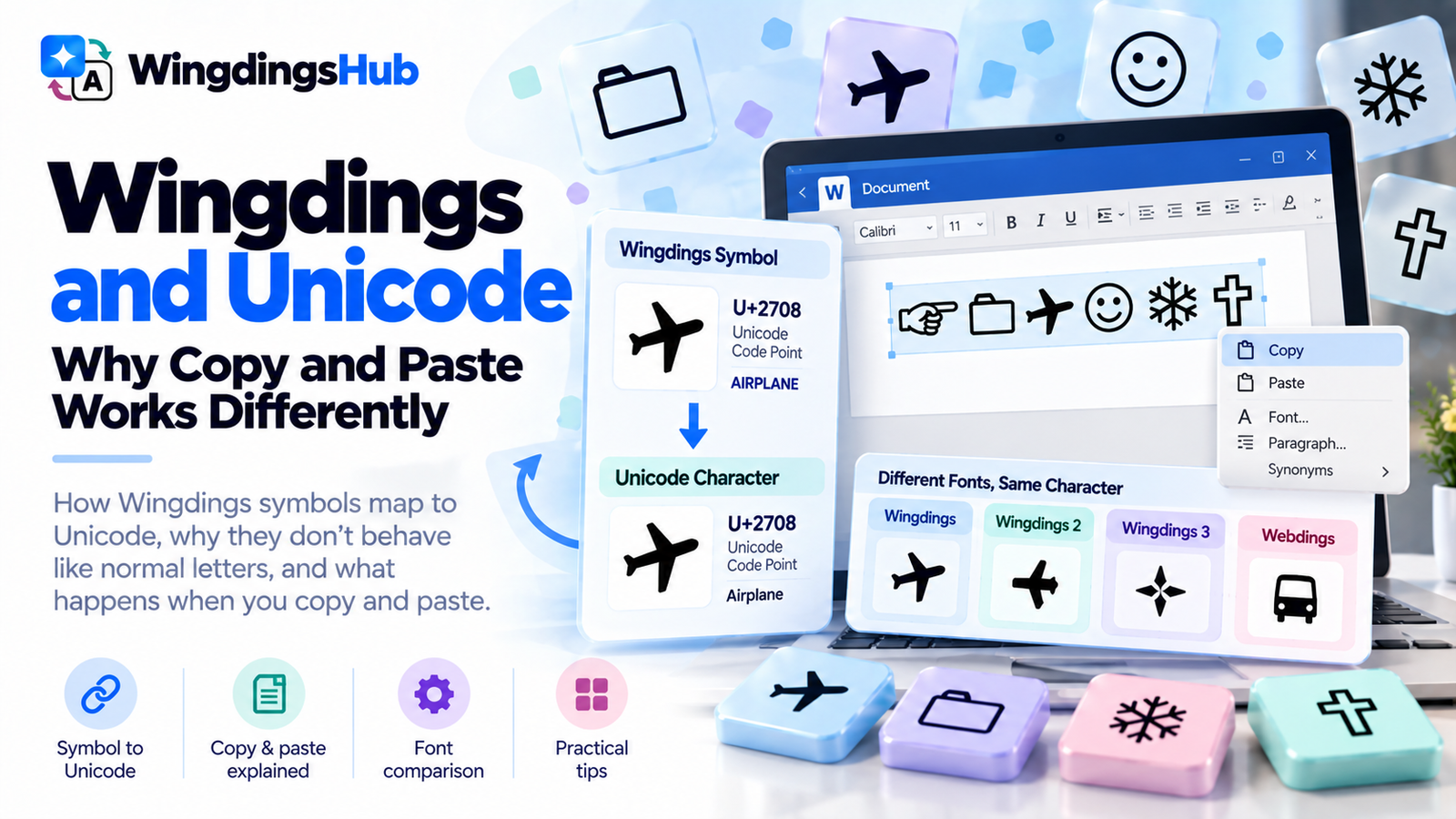
Wingdings and Unicode: Why Copy & Paste Works Differently
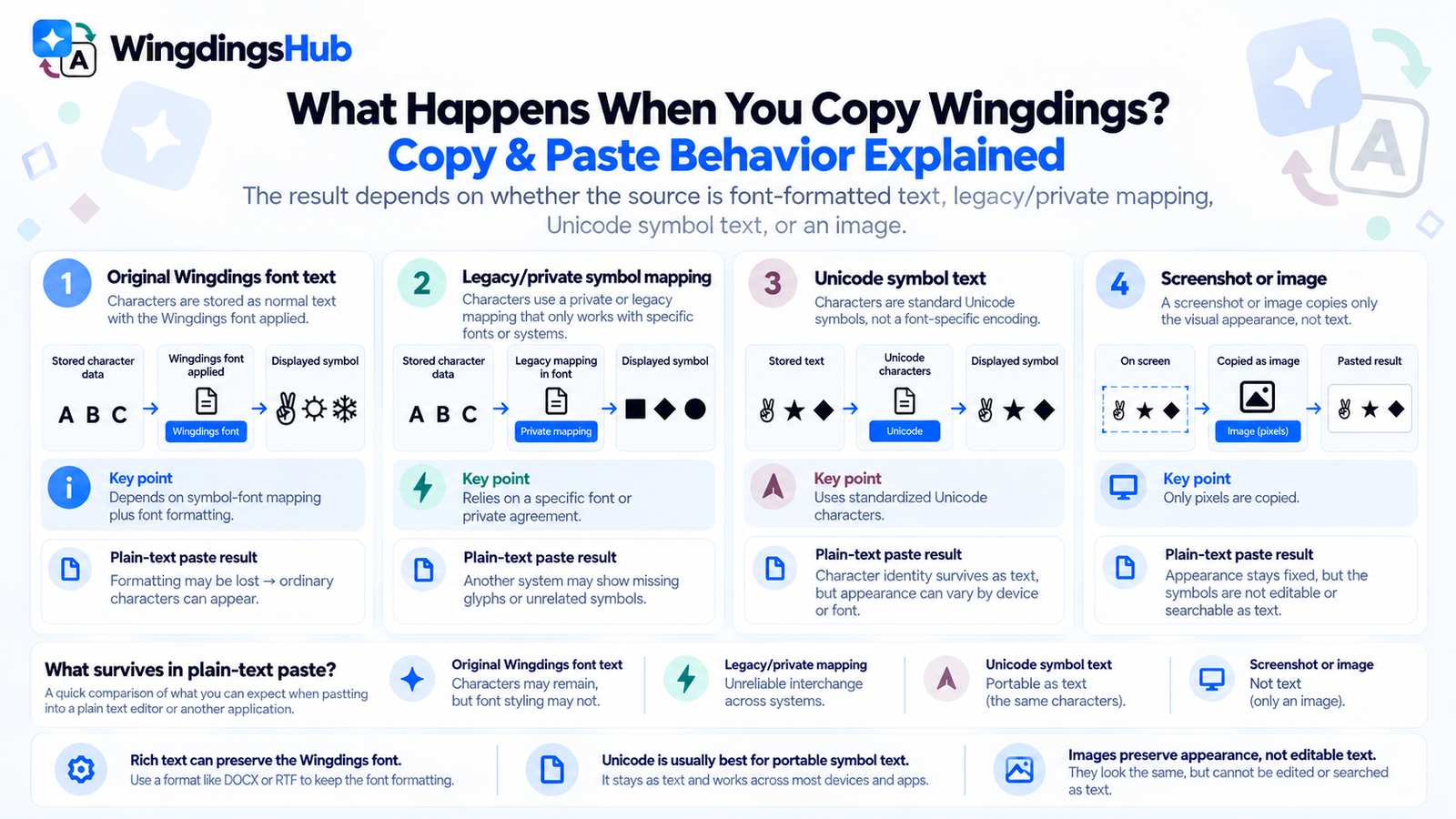
A Wingdings symbol can look perfectly correct in one document and turn into a letter, an empty box, a different-looking icon, or an emoji-style graphic after it is copied elsewhere. The result depends on what the source actually contains: font-formatted text, a legacy symbol encoding, or a Unicode symbol character.
This difference sits underneath most Wingdings copy-and-paste problems. The visible picture alone does not tell you what data will travel to the next application.
What Travels When You Copy Wingdings?
Copying text can carry several kinds of information. The character data is one part; formatting such as the font family can travel with it when the source and destination support rich text.
| Source | What the Source Relies On | What May Happen After Paste |
|---|---|---|
| Text displayed with the original Wingdings font | A symbol-font mapping plus font formatting | The symbols can remain when formatting is preserved. If the font information is stripped, the underlying character data may display differently. |
| Wingdings data using a legacy symbol/private mapping | A specific font or agreed interpretation of those character positions | Another environment may show missing glyphs or unrelated characters when it lacks the expected mapping. |
| Unicode symbol text | Standardized Unicode character values | The character identity can travel as plain text, although its visual design still depends on the receiving fonts and renderer. |
| Image or screenshot | Pixels | The appearance remains fixed, but the symbols are no longer editable or searchable as text. |
A rich-text paste between compatible applications may preserve the original Wingdings font and continue to show the same glyphs. Pasting into a plain-text field removes that formatting layer, which can expose a different representation of the stored characters.
Legacy Symbol Fonts Had an Interchange Problem
Wingdings comes from an era when symbol fonts often needed special encoding arrangements.
Microsoft’s OpenType documentation describes a dedicated Windows symbol encoding for fonts containing arbitrary ornaments or symbols. In legacy implementations, graphic characters were commonly mapped into a range beginning around 0xF020. Numerically, that range overlaps Unicode’s Private Use Area, but Microsoft’s specification distinguishes the legacy symbol encoding from normal Unicode character encoding.
The Private Use Area itself has a simple rule: Unicode reserves the code points, but it does not assign universal characters to them. A font developer can give one private-use position a particular glyph while another font or organization can use the same position for something entirely different.
That arrangement works when everyone involved shares the same font and mapping. It is much weaker for interchange.
Imagine a private character position that displays as a folder in one symbol font. Sending the numeric value to another computer does not guarantee that the recipient will see a folder. The receiving system needs the same private agreement, usually represented by the same font or compatible software.
This limitation affected legacy Wingdings and Webdings symbols as computing moved toward standardized Unicode text.
Why Wingdings Symbols Were Added to Unicode
Unicode gives characters standardized identities that applications can exchange independently of one proprietary font mapping. That created a path toward better portability for many symbols that had historically been accessed through Wingdings, Webdings, and similar legacy fonts.
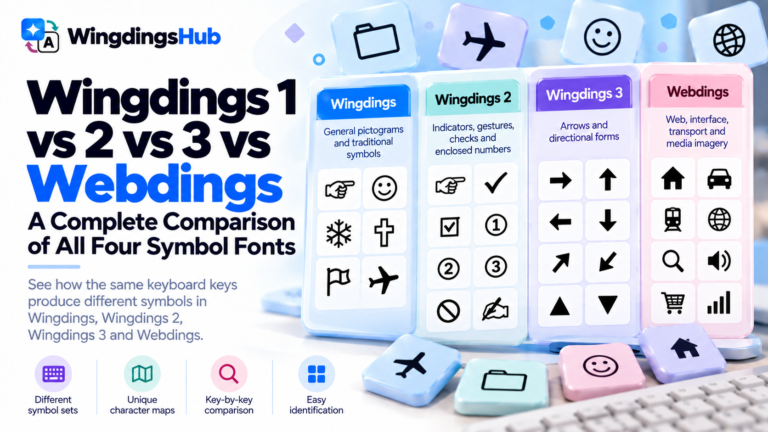
A 2011 Unicode/ISO proposal, authored by Michel Suignard, examined all 867 glyphs across the four Microsoft symbol sets and worked through which needed new encoded values, citing exactly this interchange problem.
- Wingdings;
- Wingdings 2;
- Wingdings 3; and
- Webdings.
The proposal explained that the symbols had been used through private encoding space or the Unicode Private Use Area, which made interchange difficult. Assigning standardized characters could make them portable across platforms, searchable, and usable without depending on the original private mapping.
The repertoire went through several revisions as proposed characters were compared with existing Unicode symbols, unified where appropriate, and reconsidered individually. The important outcome for users is the move from font-dependent legacy positions toward standardized character identities for many of the pictograms.
Current Unicode documentation continues to identify Wingdings and Webdings as compatibility sources for numerous standardized symbols.
This development explains why a modern Unicode representation can resemble an old Wingdings glyph while behaving differently when copied. The modern character carries a standardized identity instead of relying solely on a legacy font position.
How WingdingsHub Creates Copyable Symbol Text
The Wingdings Translator uses Unicode characters and selected Unicode representations for its browser output. It does not send a Microsoft Wingdings font file with the text or require the recipient to install that font merely to retain the same character sequence.
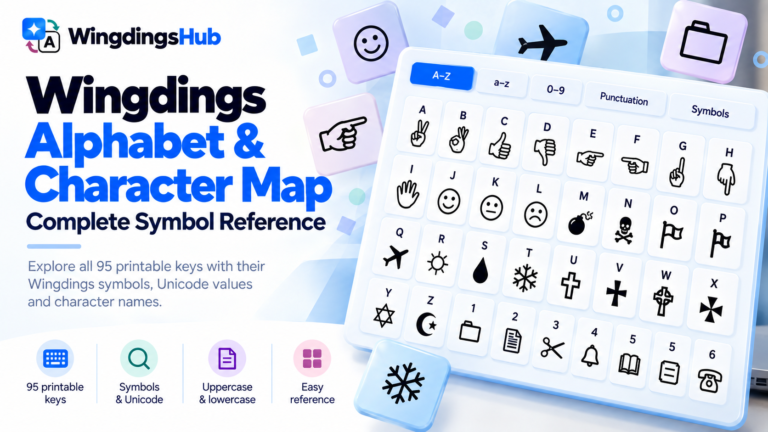
Each of the four supported maps covers the 95 printable ASCII keyboard positions from Space through ~. Encoding replaces a supported input position with the Unicode representation defined in that map. Decoding reverses recognized symbols back to their mapped characters.
Characters outside the supported canonical range remain unchanged. This prevents an accented letter, another writing system, or an unrelated symbol from disappearing simply because it has no entry in the Wingdings map.
The output is designed for portability, but portability and visual identity are separate concerns. A Unicode character can survive a paste while being drawn differently by the receiving platform.
Older Wingdings Converters May Use Different Unicode Characters
Some Wingdings glyphs were represented online before closer Unicode counterparts were widely available. Older conversion tables often selected a symbol that looked similar enough for display.
Those legacy substitutions still circulate in copied text, old websites, forum posts, and archived converters.
| Mapped Key | WingdingsHub Representation | Legacy Lookalike Recognized by the Decoder |
|---|---|---|
0 |
🗀 | 📁 |
1 |
🗁 | 📂 |
2 |
🗎 | 📄 |
B |
🖏 | 👌 |
H |
🖗 | ☟ |
N |
🕱 | ☠ |
S |
🌢 | 💧 |
\ |
🕉 | ॐ |
For example, 🕱 and ☠ are separate Unicode characters even though both depict a skull-and-crossbones concept. A decoder comparing only one exact code point would treat them differently.
WingdingsHub accepts several of these established legacy lookalikes during reverse conversion so older symbol strings can still be interpreted. The Wingdings Alphabet & Character Map lists the current canonical representations used by the site.
Why the Same Unicode Symbol Can Look Different on Another Device
Unicode standardizes the character, while fonts determine its visible drawing.
Two devices can therefore receive the same Unicode code point and render it with different line weight, proportions, detail, or color. One platform might use a close monochrome symbol. Another may select an emoji-style design.
The airplane character ✈ is an easy example. Depending on the application and presentation settings, it can appear as a simple text glyph or as a more pictorial airplane design. The encoded base character can remain the same.
Unicode also defines variation selectors that can request text-style or emoji-style presentation for characters that support those variants:
U+FE0Erequests text presentation;U+FE0Frequests emoji presentation.
Applications and fonts still determine the final rendering. Support is strongest on modern systems and can vary for less common symbols.
The WingdingsHub decoder ignores these two presentation selectors while matching supported symbols. A presentation preference attached to a recognized character therefore does not change the mapped result.
Diagnosing What Happened After Copy and Paste
| What You See After Pasting | Most Likely Explanation | What to Check |
|---|---|---|
| The Wingdings symbols still look the same | Rich formatting was preserved, or the copied content consists of supported Unicode symbols. | Paste into a plain-text editor if you need to determine whether font formatting is involved. |
| Ordinary letters or characters appear | The source relied on Wingdings font formatting and the destination stripped or replaced that formatting. | Inspect the original document’s font and preserve the source file. |
| Empty boxes appear | The character may still be present, while the current font environment lacks a glyph for it. | Try a current browser, operating system, or another environment with broader symbol-font coverage. |
| The symbols remain recognizable but look different | A different font or renderer is drawing the same Unicode characters. | Compare character values rather than artwork alone. |
| A monochrome symbol becomes colorful | The receiving environment selected emoji-style presentation. | Check whether the character supports text/emoji presentation variants. |
| An old converted string fails to decode | It may contain a legacy Unicode lookalike rather than the current canonical representation. | Use a decoder that recognizes common legacy aliases. |
| Unexpected icons appear from private-use data | The destination is interpreting a private character position with a different font or private mapping. | Return to the original font environment and identify the intended character before converting it. |
When the source itself is uncertain, How to Read Wingdings covers font identification, screenshots, transcription, and ambiguous symbol strings.
Rich Text, Plain Text, and Images Preserve Different Things
The best format depends on what needs to remain unchanged.
| Priority | Useful Format | Trade-off |
|---|---|---|
| Preserve original Wingdings font appearance and editability | Rich document format with the required font available | The recipient may need compatible font access, and formatting can change between applications. |
| Move symbols as searchable, selectable text | Standard Unicode characters | Glyph artwork can vary between platforms. |
| Preserve the exact visual appearance | Image or appropriately created fixed-layout output | The content loses normal plain-text editing and character searchability. |
| Preserve ordinary source characters | Plain text | Font-dependent Wingdings styling will not travel with plain text alone. |
For logos, artwork, print pieces, or other cases where exact visual appearance matters, fixed graphics can be more dependable than expecting every recipient’s system to render a symbol font identically.
Using the Original Wingdings Font in Documents
Unicode conversion is useful when portability matters. There are also situations where the original font is the correct tool: opening an old document, reproducing an existing layout, inserting a specific Microsoft Wingdings glyph, or working inside software that already supplies the font.
In those cases, keep the font-formatted source intact and avoid unnecessary conversion steps. Changing an old document to Unicode merely to modernize it can alter appearance or lose details that mattered to the original layout.
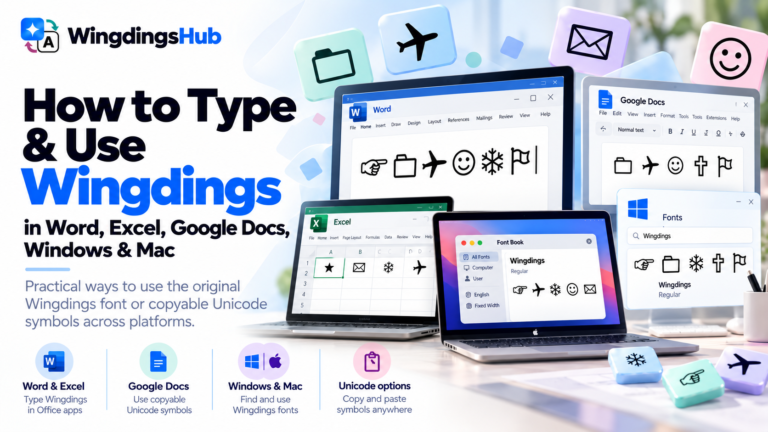
How to Type and Use Wingdings in Word, Excel, Google Docs, Windows & Mac covers the application side of working with the actual fonts.
A Practical Rule for Sharing Wingdings
Choose the representation according to what the recipient needs.
- For editable symbol text across modern systems: Unicode is usually the more portable choice.
- For an existing Wingdings document: preserve the original file and its font information.
- For exact visual reproduction: use an appropriate fixed graphic or document format.
- For an old symbol string of uncertain origin: keep the original untouched until its mapping has been identified.
Those choices separate three goals that are easy to confuse: preserving the underlying characters, preserving the ability to exchange text, and preserving the exact appearance of the glyphs.